
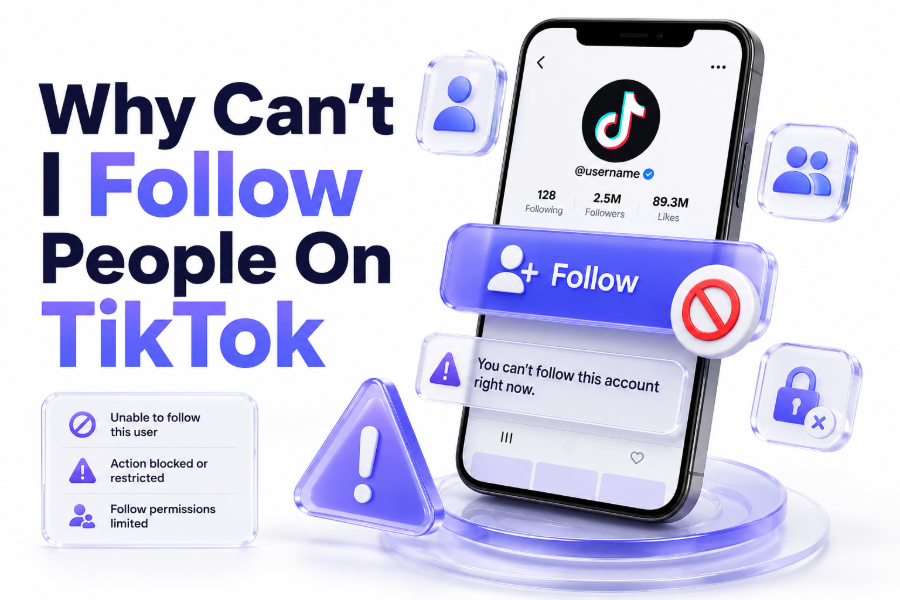
If you are asking why can’t i follow people on tiktok, the issue usually comes from temporary limits, app errors, account restrictions, or suspicious activity checks. TikTok may stop follow actions when behaviour looks too fast, repetitive, or unusual.
This problem can happen on both new and old accounts. You may tap Follow, but the button changes back, does nothing, or shows an error. Sometimes TikTok blocks following quietly without giving a clear warning.
The good news is that most follow problems are temporary. In many cases, slowing down, checking your connection, updating the app, or waiting for a short period can help your account return to normal.
Main Reasons TikTok Stops You Following Accounts
TikTok limits follow actions to reduce spam and fake engagement. If you follow too many accounts in a short time, the app may see it as unnatural activity and pause your ability to follow more people.
Another reason is a weak internet connection or app cache issue. When TikTok cannot sync your action properly, the Follow button may appear to work, then quickly reverse back to its original state.
Your account status can also affect following. If TikTok detects policy issues, unusual login activity, automation tools, or repeated spam-like behaviour, your account may face a temporary restriction until the system reviews activity.
Quick Checklist Before Trying Advanced Fixes
Before changing account settings, start with simple checks. These steps solve many follow issues without needing support. They also help you avoid repeating actions that could make TikTok extend a temporary block.
- Stop following people for a few hours.
- Close and reopen the TikTok app.
- Switch between Wi-Fi and mobile data.
- Update TikTok from the app store.
- Clear the TikTok cache.
- Log out and log back in.
- Remove VPN or proxy temporarily.
- Check your account status.
- Avoid third-party growth tools.
- Report the issue if it continues.
These quick checks are useful because TikTok follow problems often come from short-term triggers. If the issue began after heavy activity, waiting is usually safer than repeatedly pressing the Follow button.
Following Too Many Accounts Too Quickly
One of the most common reasons is following accounts too quickly. TikTok’s system may treat rapid following as spam, especially if you follow many people within minutes without normal browsing or engagement between actions.
This often happens when users try to grow a new account fast. They may follow creators, friends, or suggested users repeatedly, but TikTok may pause the action to protect the platform from bots and fake accounts.
If this is the cause, stop following people for at least several hours. Avoid unfollowing and refollowing repeatedly. When your account works again, follow people slowly and naturally throughout the day.
New Account Limitations on TikTok
New accounts often face stricter activity checks because TikTok has limited trust signals. If your account was recently created, following many users quickly can trigger temporary limits faster than on an older, active account.
TikTok wants to see normal behaviour first. Watching videos, completing your profile, verifying your email or phone number, and interacting naturally can help your account look more genuine over time.
Do not rush the first few days. Add a profile photo, write a simple bio, watch content, like posts naturally, and follow only accounts you genuinely want to see in your feed.
App Cache and Technical Glitches
Sometimes the issue is not your account at all. TikTok may fail to process follow actions because of corrupted cache, an outdated app version, or a temporary app bug after an update.
When cache data becomes messy, buttons may behave strangely. You might follow someone, leave the profile, return later, and notice the account was never added to your following list.
To fix this, clear TikTok’s cache from the app settings. Then restart the app, update it if needed, and try again with one account. Avoid testing repeatedly on many profiles.
Internet Connection and Device Problems
A poor connection can stop TikTok from saving your follow action. The app may show the Follow button changing, but the request may fail before it reaches TikTok’s servers.
This problem is common when switching between weak Wi-Fi, mobile data, or public networks. It may also happen when your phone has background data restrictions enabled for TikTok.
Try using a stable private connection. Restart your router or switch to mobile data. Also check whether TikTok has permission to use mobile data, background refresh, and normal network access on your device.
Account Security Checks and Suspicious Activity
TikTok may limit actions if it notices suspicious account activity. This can include unusual logins, fast behaviour, third-party tools, repeated errors, or activity that does not match normal user patterns.
If your account was logged in on multiple devices or connected to unsafe services, TikTok may become cautious. Follow actions can be blocked until your account looks secure again.
Change your password, enable extra security options, and remove unknown devices. Also avoid sharing your login details with follower apps, automation tools, or websites claiming to increase TikTok growth.
Privacy Settings and Blocked Profiles
Sometimes you cannot follow a specific person because of their settings or relationship with your account. The user may have blocked you, removed you, changed privacy settings, or limited interactions.
Private accounts can accept or reject follow requests. If your request is pending, it may look like you cannot follow them properly, but the account owner simply has not approved it yet.
Try following a different public account. If other accounts work, the problem is probably profile-specific. If no accounts work, your app, account, or TikTok activity limit is more likely responsible.
How to Fix the Follow Button Not Working
Start by waiting if the problem appeared after many follow attempts. Temporary action blocks often improve when you stop trying. Repeatedly pressing Follow may keep the system suspicious.
Next, update TikTok, clear cache, restart your phone, and test your connection. These steps remove common technical problems that make the Follow button freeze, reverse, or fail silently.
If nothing works, check your TikTok account status and report the issue inside the app. Give a short explanation, mention when it started, and avoid sending repeated reports for the same problem.
Practical Fix Order
Follow this order to avoid wasting time. It moves from simple fixes to account-level checks, so you can identify whether the issue is technical, temporary, or related to your TikTok account.
- Wait a few hours without following anyone.
- Restart the TikTok app.
- Update TikTok.
- Clear the app cache.
- Try a stable network.
- Log out and back in.
- Check account status.
- Secure your account.
- Report the problem.
This order is safer than randomly testing different profiles again and again. TikTok may treat repeated failed follow attempts as more unusual activity, especially when your account already has a temporary limit.
How Long TikTok Follow Restrictions Last
Many TikTok follow restrictions are temporary. Some users regain access after a few hours, while others may need to wait longer if the system detected repeated spam-like actions.
If the issue is caused by technical problems, it may disappear immediately after clearing cache, updating the app, or changing networks. If it is account-related, waiting and reducing activity is usually necessary.
Do not try to bypass the limit with another device, VPN, or automation tool. That can make the account look less trustworthy and may create more restrictions instead of solving the original problem.
Safe Following Habits for TikTok Growth
Following people naturally is better than following many accounts quickly. TikTok is designed around real interest, not mass-following tactics. Slow, consistent activity is safer for your account.
Engage with videos before following. Watch content, like posts you genuinely enjoy, leave thoughtful comments, and follow creators whose content you want in your feed. This looks more natural than bulk activity.
For safer browsing, you can also explore related tools such as a TikTok profile viewer or TikTok viewer when you want to review public profiles before deciding who to follow.
Mistakes That Can Make the Problem Worse
The biggest mistake is repeatedly tapping Follow after it fails. This may create more failed requests and make your account behaviour look automated or spammy.
Another mistake is using third-party follower apps. These tools often ask for login access and may perform actions too quickly. They can create security risks and trigger account restrictions.
Avoid constantly logging in and out from different devices or locations. If TikTok already sees unusual behaviour, sudden device changes may make the account look even more suspicious.
When to Contact TikTok Support
Contact TikTok support if the problem continues after waiting, updating the app, clearing cache, and checking your connection. A long-lasting issue may need account-level review.
Use the Report a problem option inside TikTok. Keep your message short and clear. Mention that you cannot follow accounts, explain what happens when you tap Follow, and include any error message.
Before reporting, check whether your account has warnings or status notices. If TikTok has limited your account because of a policy issue, support guidance may depend on your account standing.
Conclusion
The reason why can’t i follow people on tiktok usually comes down to temporary follow limits, app glitches, weak connection, account security checks, or profile-specific restrictions. Start with simple fixes, slow down your activity, and keep your account secure.
Most users do not need complicated solutions. Waiting, updating the app, clearing cache, and avoiding spam-like behaviour often solves the issue. If it continues, checking account status and reporting the problem is the best next step.
FAQ
TikTok Follow Button Not Working
The TikTok Follow button may not work because of a temporary limit, poor connection, app cache problem, outdated app version, or account restriction. Try waiting, restarting the app, clearing cache, and testing a stable internet connection.
TikTok Following Then Unfollowing Automatically
This usually happens when TikTok fails to save your follow action or blocks it temporarily. It can happen after fast following, weak internet, app bugs, or account checks. Stop trying repeatedly and test again later.
TikTok Follow Limit Duration
TikTok does not always show an exact time for follow limits. Many temporary blocks clear after several hours, but repeated spam-like activity may last longer. Waiting without more follow attempts is usually the safest option.
TikTok Account Unable to Follow One Person
If you cannot follow only one person, that account may be private, may have blocked you, or may not have approved your request. Try following another public account to see whether the issue affects everyone.
TikTok Support for Follow Problems
You can contact TikTok through Report a problem in the app. Explain that you cannot follow accounts, describe what happens, and include any error message. Check your account status before sending the report.