
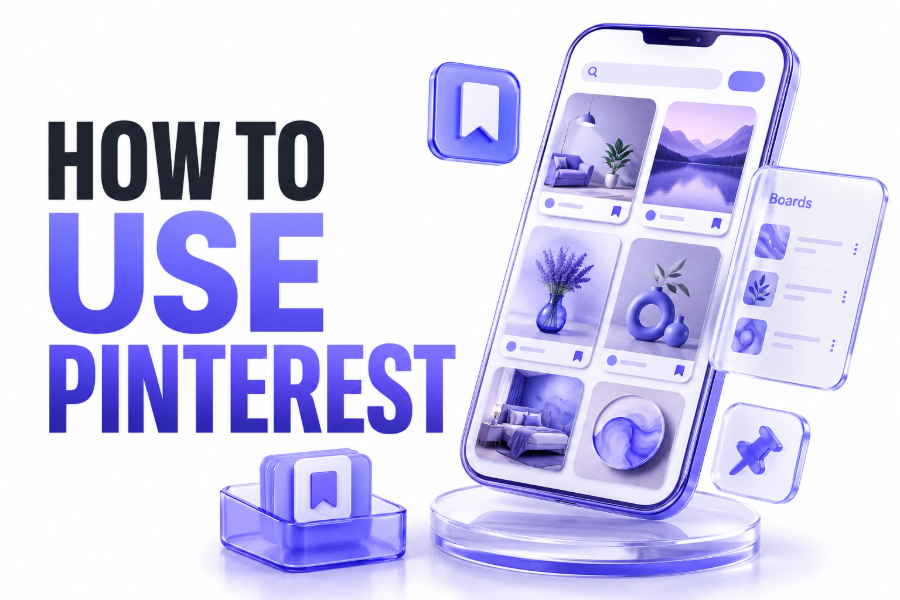
Learning how to use pinterest is easier than many people expect. Pinterest is a visual discovery platform where users find ideas, inspiration, products, tutorials, and creative content across thousands of different topics and interests.
Unlike traditional social media platforms, Pinterest focuses on saving and organising ideas rather than conversations. Users can collect content into boards, making it simple to revisit useful information whenever they need it later.
Whether you are interested in home design, recipes, fashion, travel, business, or education, Pinterest provides a personalised experience that helps you discover content relevant to your interests and future projects.
Creating and Setting Up a Pinterest Account
The first step is creating a Pinterest account. You can register using an email address, Google account, or another supported login method depending on your preferred sign-up option.
After registration, Pinterest asks about your interests. These selections help the platform recommend relevant content and improve your home feed, making it easier to discover useful and engaging ideas immediately.
Adding a profile picture, display name, and short bio helps personalise your account. Completing your profile also makes it easier for other users to understand your interests and follow your content.
How Pinterest Works
Pinterest revolves around content known as Pins. A Pin is an image, video, infographic, or graphic linked to additional information, websites, blogs, products, or online resources.
When users find content they like, they can save it to themed collections called boards. Boards help organise ideas into categories such as recipes, wedding planning, travel destinations, or home improvements.
Pinterest uses a recommendation algorithm to suggest new Pins based on your activity. The more you interact with content, the more personalised your Pinterest experience becomes over time.
Key Pinterest Features to Know
Before actively using Pinterest, it helps to understand the platform’s core features. These tools make discovering, saving, and organising content much easier.
- Home feed recommendations.
- Search bar and filters.
- Pins and Idea Pins.
- Personal boards.
- Group boards.
- Following creators.
- Pinterest Lens search.
- Shopping features.
- Saved content collections.
- Business analytics tools.
These features work together to create a visual search experience that differs significantly from most social networking platforms currently available online.
Finding Content Through Pinterest Search
Pinterest functions like a visual search engine. Users can search for specific topics, products, tutorials, trends, and inspiration using keywords within the search bar.
As you begin typing, Pinterest automatically suggests related phrases. These suggestions can help refine your search and uncover ideas you may not have originally considered.
Search filters allow users to narrow results by Pins, boards, videos, products, or creators. This makes it easier to find exactly what you need without scrolling endlessly.
Saving Pins to Organised Boards
Boards are one of Pinterest’s most useful features. They allow you to store ideas in organised collections so you can easily find them later when needed.
For example, you might create separate boards for kitchen renovation ideas, holiday planning, healthy recipes, business marketing, or fashion inspiration. Each board can contain hundreds of saved Pins.
Organised boards help reduce clutter and make Pinterest much more effective. Instead of losing ideas, you can keep everything grouped into logical categories for future reference.
Creating Your First Pinterest Board
Creating a board takes only a few moments. Simply select the Create option and choose Board from the available content creation menu.
Give your board a clear and descriptive title. Names such as “Garden Design Ideas” or “Family Holiday Plans” make content easier to organise and locate later.
You can also choose whether the board remains public or private. Private boards are useful for personal planning projects that you do not want visible to other users.
Understanding Different Types of Pins
Pinterest supports several content formats. Understanding the differences can help you make better use of the platform whether you are browsing or publishing content.
Standard Pins are the most common format and typically consist of an image linked to a website or landing page. They are widely used by bloggers, brands, and creators.
Video Pins attract attention through movement and often achieve strong engagement. Product Pins and shopping Pins provide additional information for users interested in purchasing products directly.
Building a Personalised Pinterest Feed
Your Pinterest feed changes based on your activity. Every saved Pin, search, and interaction helps the platform understand the type of content you enjoy.
Following boards and creators further improves recommendations. Pinterest gradually learns your interests and begins showing more relevant content on the home page.
If recommendations become less relevant, updating interests and interacting with different content categories can help refresh the feed and improve future suggestions.
Pinterest for Planning Everyday Projects
Many people use Pinterest to organise personal projects. The platform is particularly useful for planning events, home improvements, educational goals, and creative activities.
Instead of bookmarking dozens of websites, users can save everything in one organised location. This approach simplifies project management and keeps inspiration accessible.
Pinterest is often used for wedding planning, room decoration, gardening, meal preparation, travel itineraries, and seasonal celebrations throughout the year.
Popular Pinterest Categories
Pinterest covers a wide range of interests. Some of the most popular categories include:
- Home décor.
- Fashion.
- Beauty.
- Travel.
- Food and recipes.
- DIY projects.
- Business marketing.
- Fitness.
- Education.
- Photography.
These categories attract millions of users seeking practical ideas and visual inspiration every day.
Using Pinterest for Business and Marketing
Businesses often use Pinterest as a traffic source. High-quality Pins can continue generating website visits for months or even years after publication.
Unlike many social platforms where posts disappear quickly, Pinterest content remains discoverable through search. This creates long-term opportunities for visibility and audience growth.
Businesses can also create Pinterest Business accounts to access analytics, advertising features, audience insights, and performance tracking tools that support marketing objectives.
Creating Effective Pins That Get Attention
Successful Pins typically use high-quality images and clear designs. Attractive visuals encourage users to stop scrolling and engage with the content.
Adding descriptive titles and keyword-focused descriptions helps Pinterest understand your content. This improves discoverability and increases the likelihood of appearing in search results.
Vertical images generally perform better because they occupy more screen space. Consistent branding and readable text overlays can also improve click-through rates.
Pinterest SEO and Search Visibility
Pinterest has its own search algorithm. Using relevant keywords within Pin titles, descriptions, board names, and profile information can improve content visibility.
Keyword research helps identify phrases users commonly search for. Including these naturally throughout your content can increase the chances of appearing in Pinterest search results.
For additional social media guidance, you may find resources such as how to clear instagram cache and how to post anonymously on facebook useful.
Pinterest Mobile App Features
The Pinterest mobile app offers nearly all desktop features. Users can browse, save, organise, and create content directly from their smartphones or tablets.
One useful feature is Pinterest Lens. This visual search tool allows users to take a photograph and discover related ideas, products, and inspiration instantly.
Mobile notifications also help users stay informed about saved content, recommendations, follower activity, and trending topics relevant to their interests.
Common Mistakes New Pinterest Users Make
Many beginners create boards without clear organisation. Over time, this can make saved content difficult to locate and reduce the usefulness of the platform.
Another common mistake is saving content randomly without categories. Structured boards provide a much better experience and help keep ideas manageable as collections grow.
Some users ignore search optimisation when creating Pins. Adding relevant keywords and descriptions significantly improves discoverability and long-term performance on Pinterest.
Best Practices for Long-Term Pinterest Success
Consistency is one of the most important factors on Pinterest. Regularly saving quality content helps maintain an active and engaging profile over time.
Focus on content that provides genuine value. Educational guides, tutorials, checklists, inspiration, and practical solutions often perform well across many categories.
Review your boards occasionally and remove outdated content when necessary. A well-maintained profile creates a better experience and supports stronger engagement from followers.
Conclusion
Understanding how to use pinterest can help you discover ideas, organise projects, and find inspiration across countless topics. From creating boards and saving Pins to searching for content and building a personalised feed, Pinterest offers practical tools for both personal and professional use.
Whether you are planning a project, growing a business, or simply collecting ideas for the future, Pinterest provides a visual and organised way to manage information and inspiration online.
FAQ
Is Pinterest Free to Use?
Yes, Pinterest is free to use for personal accounts. Users can create boards, save Pins, follow creators, and search for ideas without paying any subscription fee.
What Is the Difference Between a Pin and a Board?
A Pin is an individual piece of content such as an image or video. A board is a collection where users save and organise related Pins by topic or interest.
Can Pinterest Be Used for Business?
Yes, Pinterest offers business accounts that provide analytics, advertising tools, audience insights, and marketing features designed to help businesses increase visibility and website traffic.
How Often Should I Post on Pinterest?
Consistency is more important than volume. Posting quality Pins regularly helps maintain activity and improves opportunities for content discovery through Pinterest search results.
Does Pinterest Help Drive Website Traffic?
Pinterest can be an effective source of website traffic. Well-optimised Pins remain searchable for long periods and can continue attracting visitors long after publication.