
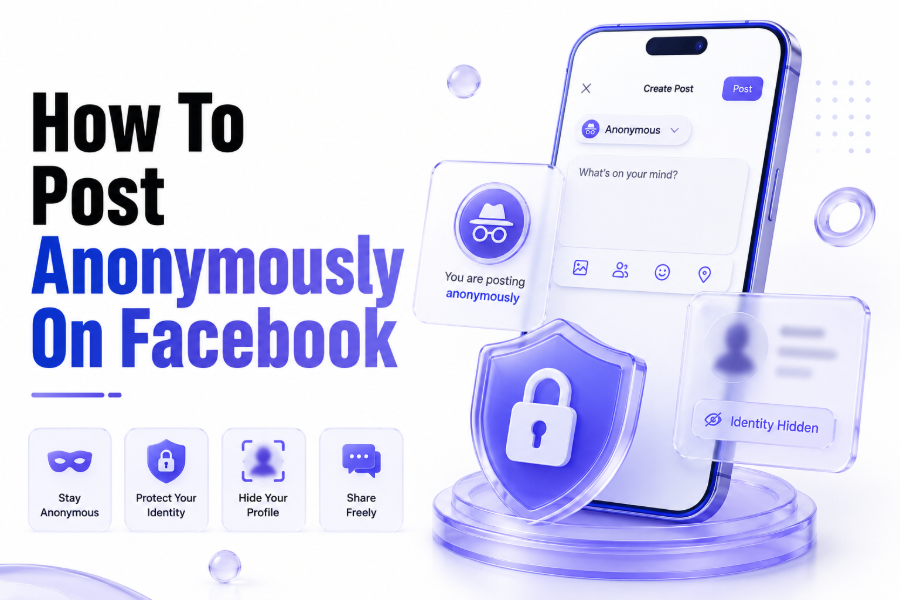
Facebook anonymous posting is mainly available inside certain Facebook Groups. It lets members publish a post without showing their name publicly to other group members, which can help people ask sensitive questions more comfortably.
The feature does not mean Facebook itself cannot identify the person. Group admins, moderators, and Facebook systems may still see or review information connected to the post for safety, moderation, and policy reasons.
For anyone learning how to post anonymously on facebook, the key point is simple. You need to be inside a group where anonymous posting is enabled, available to your account, and accepted by the group’s rules.
When Anonymous Posting Is Available
Anonymous posting is not available everywhere on Facebook. You cannot usually use it for your personal timeline, public pages, marketplace posts, or every group conversation. It is mostly a group-based privacy feature.
Group admins decide whether anonymous participation is allowed. Some communities enable it for parenting, health, finance, relationships, workplace concerns, or personal advice because members may need privacy before sharing.
Even when a group supports it, the option may not appear for every member. Facebook may limit access based on account status, feature availability, location, group settings, or platform testing.
Quick Feature Checklist
- You must be a member of the Facebook Group.
- The group must allow anonymous participation.
- The feature must be available to your account.
- Your post may need admin approval.
- Your post must follow Facebook and group rules.
Step-by-Step Guide to Posting Anonymously
Open the Facebook app or website and go to the group where you want to post. Make sure you are already accepted as a member because non-members cannot create group posts.
Find the post composer box. In many groups, it says something like “Write something” or “What’s on your mind?” If anonymous posting is available, you may see an anonymous post option near the composer.
Select the anonymous posting option before writing your content. Facebook may show a notice explaining how anonymous posting works, who may still see your identity, and what rules apply.
Basic Posting Steps
- Open Facebook.
- Go to the target group.
- Tap or click the post box.
- Choose the anonymous post option.
- Write your post clearly.
- Submit it for posting or approval.
Writing a Safe Anonymous Post
Before posting, remove personal details that can reveal your identity. Avoid names, exact locations, job titles, screenshots, dates, school names, or unique situations that people may recognise.
Write in a calm and clear way. Anonymous posting should protect privacy, not encourage harmful, abusive, misleading, or rule-breaking content. Group rules still apply to anonymous members.
If your post is about a sensitive topic, keep it focused on the issue rather than exposing other people. This makes your post safer, more respectful, and more likely to be approved.
Admin Review and Approval Process
Many Facebook Groups send anonymous posts to admins or moderators before publishing. This review helps prevent spam, bullying, scams, false information, and posts that break community standards.
Approval time depends on the group. Some posts appear quickly, while others may take hours or longer. Large groups often have slower moderation because admins review many submissions daily.
If your anonymous post is declined, it may not always mean you did something wrong. It could be too vague, too promotional, against group rules, or unsuitable for that community.
Why the Anonymous Post Option Is Missing
The anonymous post option may be missing because the group has not enabled it. Some admins prefer named posts to keep discussions accountable and easier to moderate.
Your Facebook app may also be outdated. Updating the app, clearing cache, switching between app and browser, or logging out and back in may help if the issue is technical.
Sometimes the feature is simply unavailable to your account. Facebook features can appear differently across users, devices, countries, groups, and account histories.
Common Reasons
- Group admins disabled anonymous posts.
- The group type does not support the feature.
- Your account does not currently have access.
- The Facebook app needs updating.
- The post composer is showing a limited version.
- The group requires normal member posting only.
Posting Anonymously on Mobile
Most users post anonymously through the Facebook mobile app. Open the group, tap the post box, and look for an option related to anonymous posting or anonymous participation.
If the option appears, tap it and read the notice carefully. Facebook may explain that admins and Facebook may still know who submitted the post, even when members cannot see it.
After enabling anonymous mode, write your post and submit it. Depending on the group’s settings, the post may publish immediately or go to admin review first.
Posting Anonymously on Desktop
Desktop posting works in a similar way. Visit Facebook in your browser, open the group, and click the post composer at the top of the group feed.
If anonymous posting is available, choose the anonymous option before writing. The layout may look slightly different from mobile, but the feature usually appears near the post creation area.
Desktop can be useful when writing longer posts. It is easier to edit your wording, remove identifying details, and check whether your message follows the group’s posting rules.
Best Privacy Practices Before Posting
Anonymous posting is useful, but it is not complete invisibility. Treat it as public group communication with reduced name visibility, not as a fully private or encrypted message.
Do not include screenshots that show profile pictures, usernames, notifications, email addresses, addresses, workplaces, or private chats. Images can reveal more than the written post.
For more privacy-focused social tips, you can visit our Social Media Viewer section for related guides on safer platform use and account visibility.
Mistakes to Avoid
Avoid using anonymous posting to attack others. Even if members cannot see your name, admins may review the content, and Facebook may take action if policies are broken.
Do not assume deleted anonymous posts vanish instantly from everyone’s view. Other users may have seen the post, received notifications, or taken screenshots before removal.
Avoid posting highly specific stories if your group includes friends, colleagues, neighbours, or family members. People can identify you from context even when your name is hidden.
Anonymous Comments on Facebook
Some groups may allow anonymous participation beyond posts, but availability can vary. In many cases, anonymous posting and anonymous commenting are controlled by group settings and Facebook availability.
If you comment under your normal profile on an anonymous post, your name may appear normally. Always check the comment box and identity indicator before replying.
When privacy matters, pause before commenting. A single normal comment can connect your identity to a discussion you intended to keep separate from your profile.
Group Rules and Community Standards
Every Facebook Group has its own rules. Some allow anonymous posts for support topics only, while others ban promotions, political debates, medical claims, personal attacks, or screenshots.
Read the rules before posting. This helps you understand what admins approve, what topics are restricted, and whether anonymous posts are reviewed differently from normal posts.
Facebook’s wider community standards also apply. Anonymous posting does not allow harassment, hate speech, scams, impersonation, threats, misinformation, or unsafe behaviour.
Safer Alternatives to Anonymous Posting
If anonymous posting is unavailable, consider asking admins whether they accept private submissions. Some groups allow members to message admins, who then post questions without naming the sender.
You can also search the group before posting. Someone may have already asked a similar question, allowing you to read answers without revealing anything about yourself.
For broader platform privacy topics, our guide on how to clear Instagram cache may help you manage app data and improve privacy habits.
Helpful Posting Template
A simple structure can make anonymous posts easier to approve. Start with context, explain the issue, ask one clear question, and avoid emotional or identifying details.
For example, instead of sharing a long personal story, write a short summary. This protects your privacy and helps members give useful answers without needing unnecessary background.
Keep your tone respectful. Even anonymous posts perform better when they are specific, polite, and easy for other members to understand.
Simple Anonymous Post Format
- Short context
- Main issue
- What you have already tried
- One clear question
- No names or private details
- Respectful closing line
Conclusion
Learning how to post anonymously on facebook is mainly about using the right Facebook Group feature safely. The option must be enabled by admins, available to your account, and used within group rules.
Anonymous posting can help with sensitive questions, but it is not total invisibility. Write carefully, remove identifying details, follow community standards, and remember that admins may review submissions.
FAQ
Can I post anonymously on my Facebook timeline?
No, anonymous posting is mainly available in selected Facebook Groups. Your personal timeline posts usually show your profile name unless you use audience settings to limit who can see them.
Can group admins see my anonymous post identity?
Facebook indicates that anonymous participation may still be visible to admins, moderators, or Facebook systems for review and safety. Members usually see the post without your profile name.
Why can others post anonymously but I cannot?
The feature may not be available to your account, app, device, or region. It may also depend on group settings, admin choices, account status, or Facebook’s feature rollout.
Can I edit an anonymous Facebook post?
In many cases, you can manage your post like a normal group post, but options may vary. Check the post menu after publishing to see available edit or delete controls.
Is anonymous posting completely private?
No. It hides your name from regular members, but it is not complete privacy. Admins, moderators, and Facebook systems may still have access for moderation, safety, and policy enforcement.